eCommerce CRO Checklist v1.2 is live


Blog
•
Link to relevant inner pages
Internal linking connects related content within a website, improving navigation, user experience, and SEO by passing link authority (PageRank) between pages.
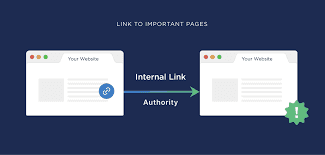
Internal links connect pages on the same website, crucial for SEO by passing ranking power, aiding navigation, and defining site structure. Use descriptive, relevant anchor text within content (contextual links) or in menus/footers to help Google understand site hierarchy and improve user experience.
Key Aspects of Internal Linking Strategy
Contextual Links: Place links directly within text to direct readers to related content, increasing engagement.
Navigation & Footer Links: Use menus and footers to guide users to essential pages like "Services" or "About Us".
Anchor Text Optimization: Use keyword-rich, descriptive anchor text to signal to search engines what the target page is about.
Site Hierarchy: Link from high-authority pages (e.g., homepage) to deeper, less visible pages to distribute equity.
Audit Regularly: Conduct audits to find broken links, identify "nofollow" links that don't transfer authority, and ensure proper linking structure.
For more, you can read the Semrush guide on internal links and the Mangools beginner's guide.
