eCommerce CRO Checklist v1.2 is live


Blog
•
How To Track Your Website’s Google Rankings: 3 Easy Methods
Tracking your rankings in Google (and other search engines) is an essential part of search engine optimization.

Tracking your rankings in Google (and other search engines) is an essential part of search engine optimization.
It's likely that rankings isn't the ultimate goal of your SEO efforts; rather you'll be shooting for conversions and revenue. Nevertheless, keyword positions in Google are one of the best leading indicators that your efforts are working.
It also helps you assess where you're currently at, find opportunities, and decide where / what to work on next.
In this article, I'm going to lay out a couple of beginner-friendly methods to finding out how your website is ranking in Google (for desktop & mobile). I strongly recommend the first one (using a paid tool), and I'll explain why later. It doesn't need to be expensive at all, and it's the most effective by far.
Here's 3 methods to check your keyword rankings, in order of their effectiveness:
Use a paid tool to track your Google rankings
I'm going to start with this method because I believe it's the most effective, and it's the one I've always used for the past 6+ years.
There are countless rank tracking tools out there these days, with a really wide range of price points and features.
Here I'm going to assume that a) you're relatively new to search engine optimization, and b) you don't have a huge software budget for this.
With that in mind, I'm going to show you how to track keyword rankings using Nightwatch.
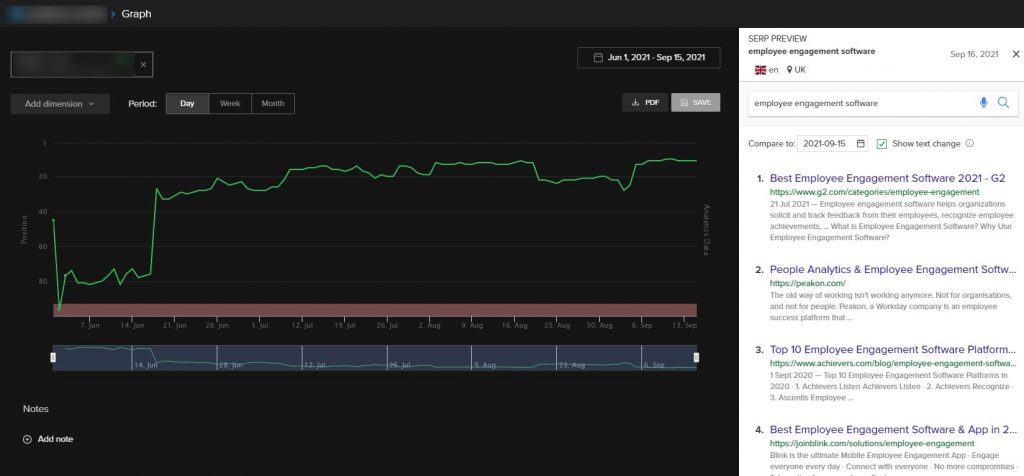
Nightwatch has an accessible / low starting price, the UI isn't too confusing or overwhelming, it's great for both localized and global tracking, and it works well whether you're tracking 50 keywords or 50,000.
Wincher is another beginner-friendly keyword tracking tool to consider. Whichever one you choose, the same general approach will apply.
Here's how to start tracking your keywords.
First, I'll take you through the actual setup process of signing up for the software, step by step.
Then, I'll give you a few tips & ideas on how to manage your rank tracking ongoing. Feel free to skip to that section if you prefer.
How to set up Nightwatch for keyword tracking, step by step
Step 1: start a free trial & add your website URL
Head to Nightwatch.io and start a free trial.
Get a 14-day free trial of nightwatch
Once you're signed up, you should land on https://app.nightwatch.io/start/url to begin the setup.
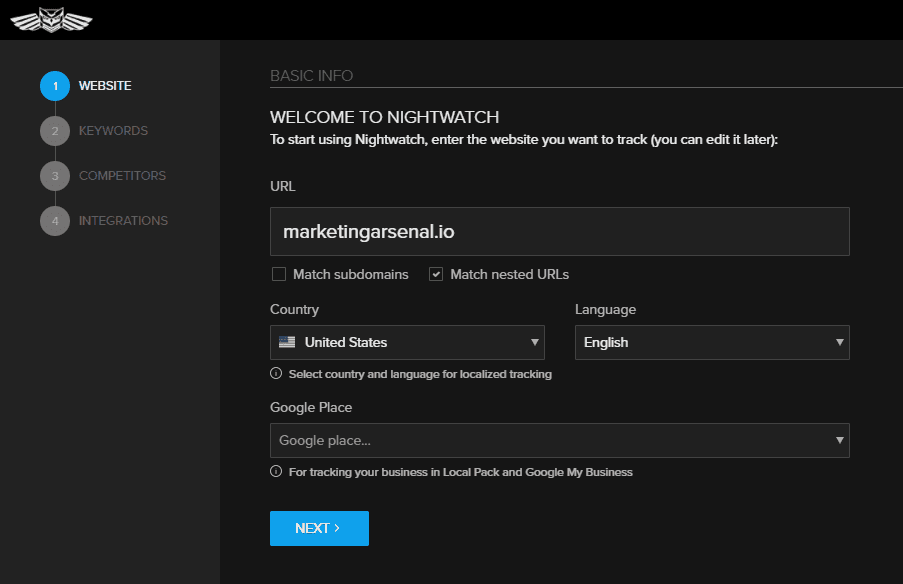
Add your website URL, primary country, and language. If you want to track rankings in multiple countries, don't worry. You can do that later.
For local tracking, you can optionally add a Google My Business profile here too.
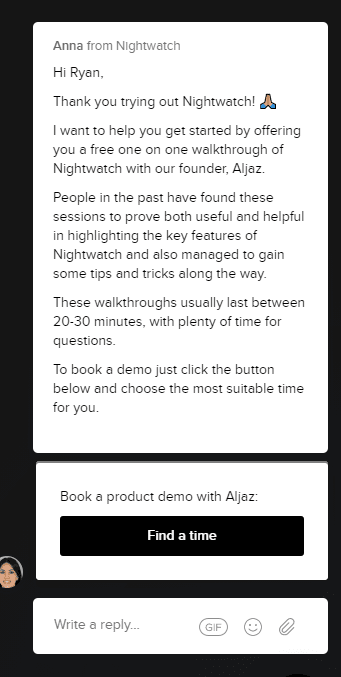
Tip: if you're new to rank tracking, I'd strongly suggest trying to book a demo. At the time of writing, Nightwatch are offering a 20-30 minute call to help you get up and running the right way and ask questions. This prompt comes after signing up:
Step 2: add your target keywords to track
Next, add some keywords. If your site has some existing rankings, Nightwatch will try to auto-suggest some options.
Don't worry about adding in a comprehensive list for now; throw a few ideas in and you can come back to this later.
